
How to record a dues payment in YakMembers
Not every member pays online. When a cheque or bank transfer arrives, record it against the invoice so the balance, the member's status and your reconciliation all agree.
Before you start
- An administrator role in YakMembers, with two-factor authentication turned on
- An issued invoice with a balance
Preview voice Narrated with a local preview voice; the final recording replaces it.
Transcript
Record a cheque against a member's invoice and clear the balance.
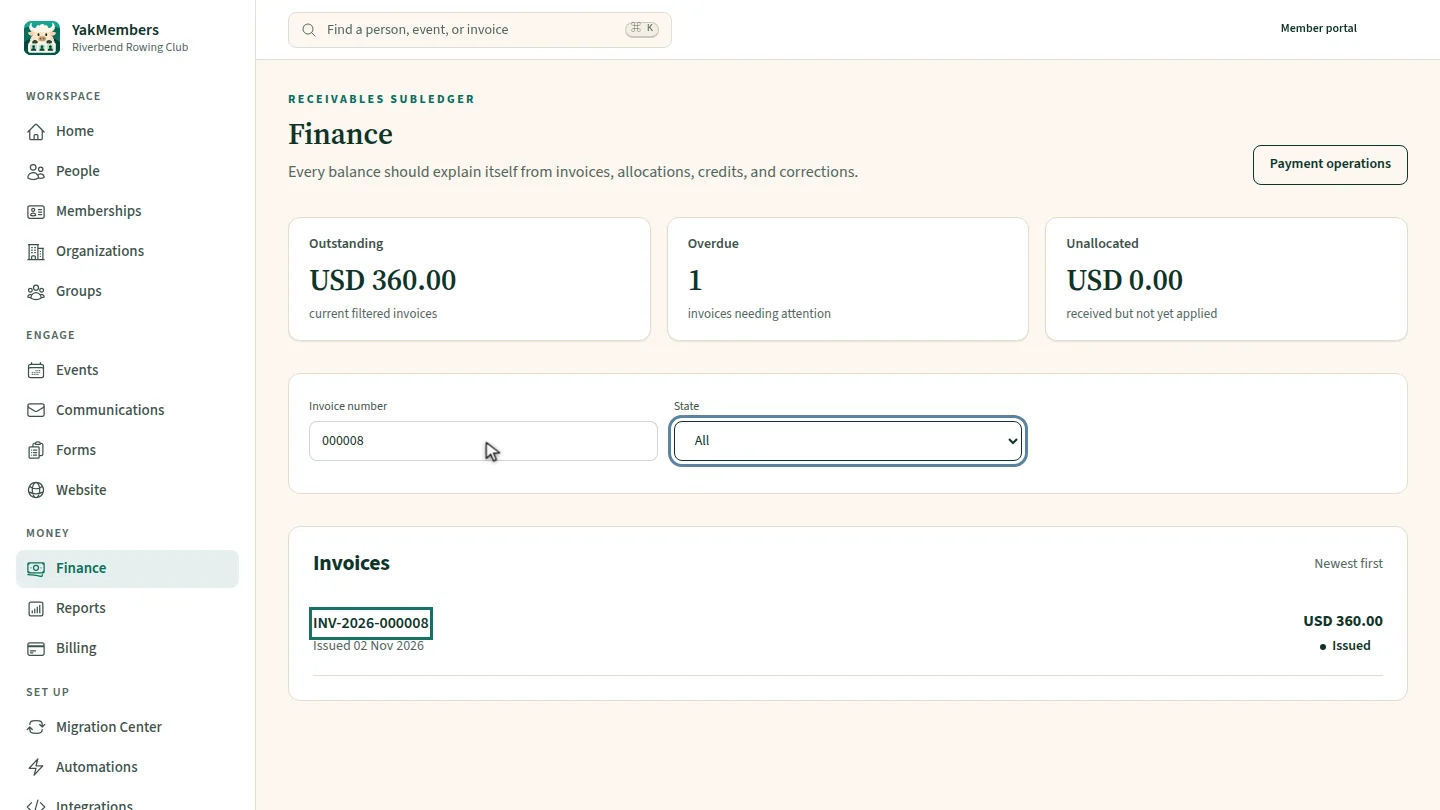
In Finance, search for the invoice number from the member's statement, then open the invoice. Its balance shows at the top.
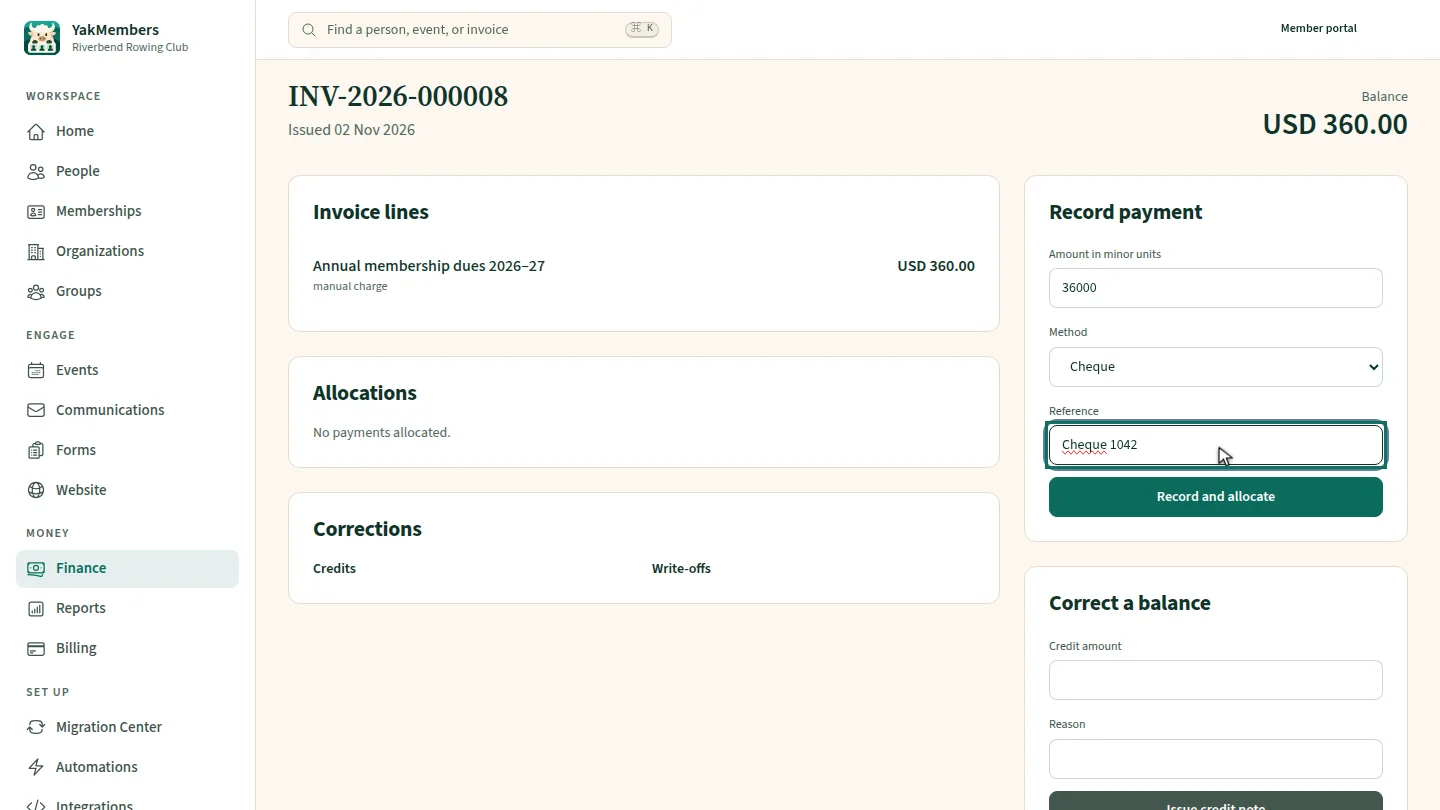
Under Record payment, the amount is already filled in, in cents. Choose Cheque and add the cheque number as the reference.
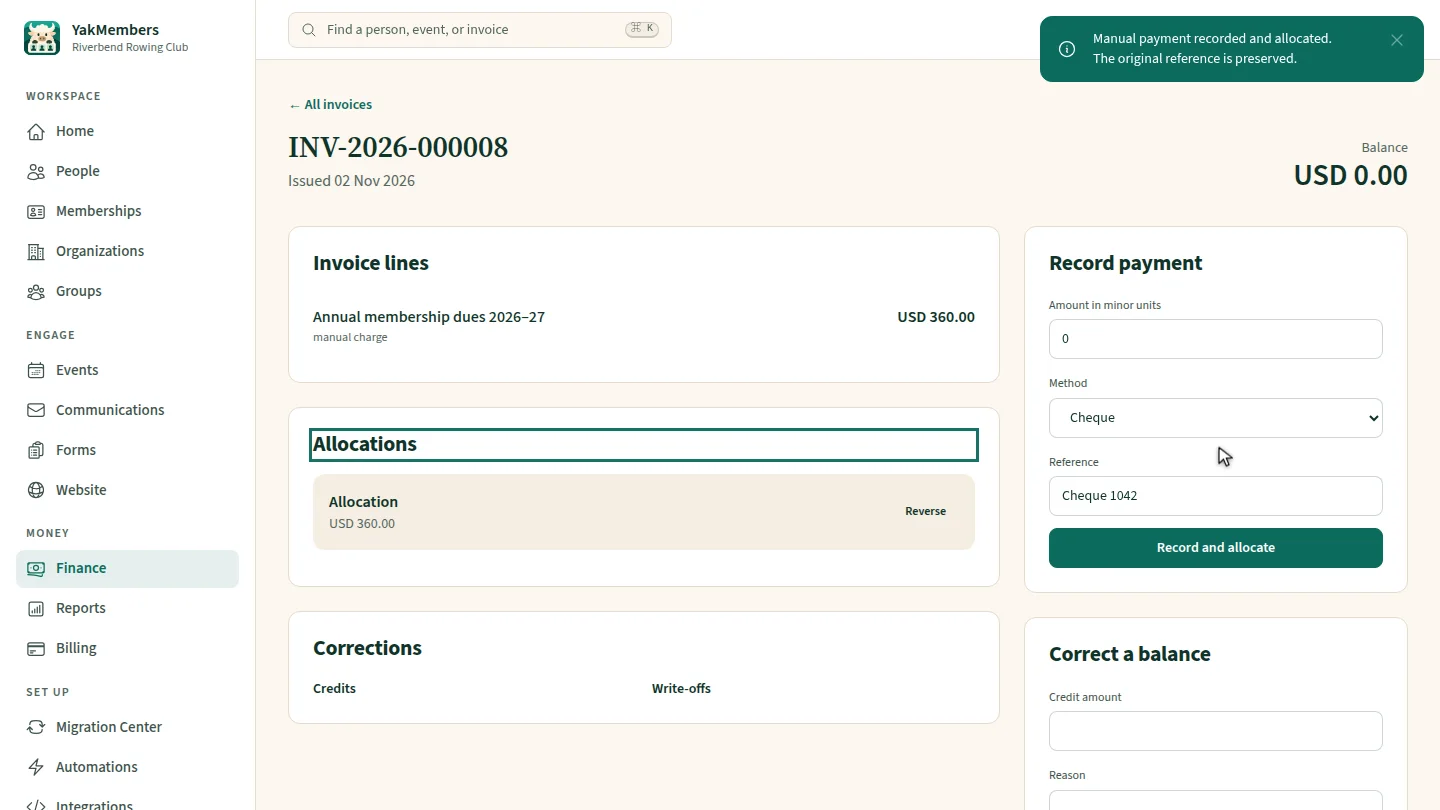
Select Record and allocate. The balance at the top drops to zero, and the payment is listed under Allocations.
Steps
Find the invoice ▶ 0:06
In Finance, search for the invoice number and select the invoice.
Enter the payment ▶ 0:15
Under Record payment, check Amount in minor units, choose a Method and enter a Reference.
Record it ▶ 0:24
Select Record and allocate. The Balance drops and the payment appears under Allocations.
Next steps
Updated 2026-11-02
record payment cheque payment bank transfer manual payment mark invoice paid membership dues